

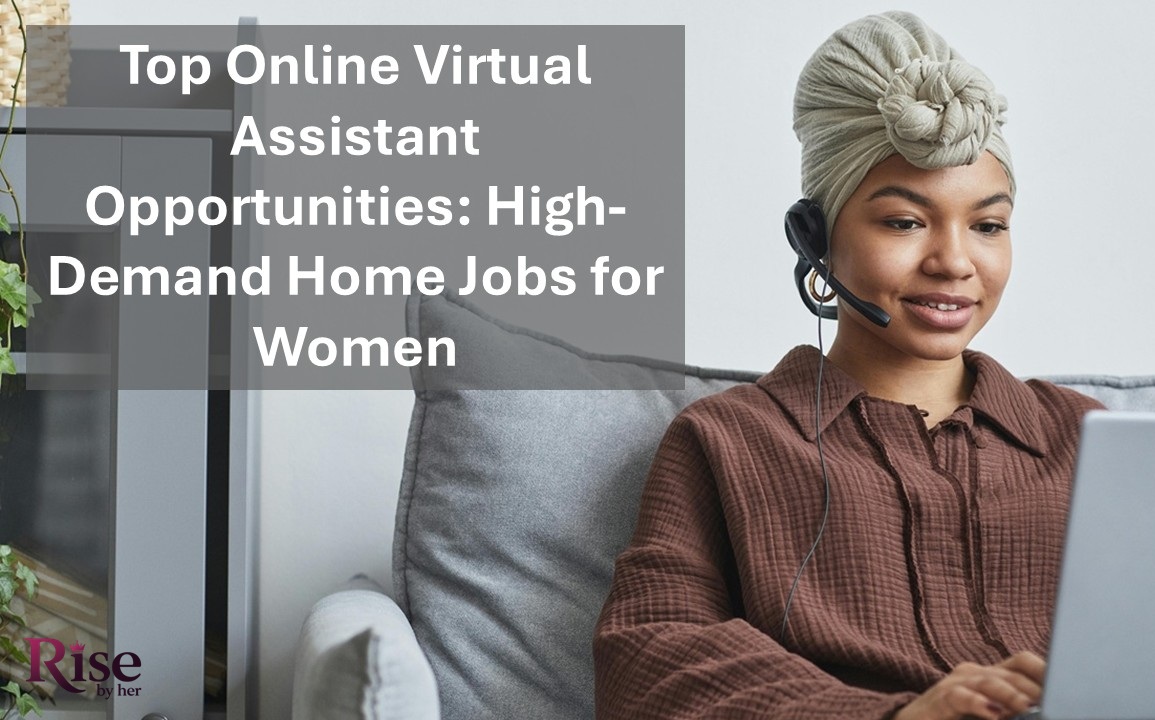
In 2026, the demand for online virtual assistant jobs is reaching an all-time high. According to Statista, over 36% of U.S. workers now prefer remote roles, and companies are rapidly outsourcing administrative, tech, and creative tasks to virtual assistants to cut costs and boost efficiency.
For women (especially moms seeking balance) this is a powerful opportunity.
“You don’t have to choose between income and family.”
Remote jobs for women are no longer limited to customer service or data entry. Today, women are launching flexible, profitable careers as home-based virtual assistants, handling everything from inbox management to social media content creation.
In this post, you’ll discover:
- The most in-demand virtual assistant opportunities
- The top platforms to find legit home-based jobs for moms
- Step-by-step tips to start, even if you have no prior experience
Whether you’re looking to earn extra income during naptime or build a long-term remote business, this guide will show you how to get started the smart way.
What Does an Online Virtual Assistant Do?
If you’re wondering, “What does a virtual assistant do?”, you’re not alone. Virtual assistants (VAs) are independent professionals who provide remote support to businesses, entrepreneurs, and busy executives. With flexible hours and scalable services, this role has become one of the most in-demand home-based jobs for women in recent years.
Core Tasks of a Virtual Assistant
While duties vary depending on the client’s needs, here are the most common virtual assistant services offered today:
- Administrative support: email and calendar management
- Customer service: handling inquiries via chat, email, or phone
- Data entry & research: creating reports or organizing spreadsheets
- Social media management: scheduling posts, engaging with followers
- E-commerce support: order processing, inventory updates (Shopify, Etsy)
- Bookkeeping: using tools like QuickBooks or Wave (if trained)
Industries That Commonly Hire Virtual Assistants
Virtual assistants are needed in nearly every niche. The most common include:
- Digital marketing agencies
- Coaches and consultants
- E-commerce businesses
- Real estate professionals
- Health and wellness brands
- Authors and content creators
Soft Skills Needed to Be a VA
To succeed, you’ll need a mix of soft skills and technical know-how:
- Time management
- Communication
- Problem-solving
- Attention to detail
- Confidentiality
Technical Skills Needed to Be a VA (can be learned):
- Google Workspace, Microsoft Office
- Project management tools (Trello, Asana, ClickUp)
- Social media tools (Canva, Buffer, Hootsuite)
- CRM platforms (HubSpot, Mailchimp, Dubsado)
The good news? You don’t need a degree to get started, just a laptop, internet connection, and the drive to learn.
Top Online Virtual Assistant Opportunities in 2026
The virtual assistant industry continues to evolve, it’s more lucrative than ever. Whether you’re a beginner or looking to specialize, these high-paying virtual assistant jobs offer flexibility, scalability, and real earning potential, making them ideal home jobs for women.

Below are the top VA niches in 2026, including what they involve, why they’re in demand, what you can expect to earn, and tools to help you succeed.
Social Media Virtual Assistant
- What it is: Manages content scheduling, engagement, and reporting for platforms like Instagram, TikTok, and Facebook.
- Why is it in demand: Businesses need help staying active and consistent online.
- Average pay: $20–$45/hour
- Tools: Canva, Later, Buffer, Meta Business Suite
E-commerce Virtual Assistant
- What it is: Handles inventory, product listings, customer queries, and fulfillment on Shopify, Etsy, or Amazon.
- Why is it in demand: Online stores rely heavily on remote support to manage daily operations.
- Average pay: $18–$40/hour
- Tools: Shopify, Etsy Seller, Oberlo, ShipStation
Podcast/YouTube Virtual Assistant
- What it is: Supports content creators by editing audio/video, uploading episodes, writing show notes, and coordinating guests.
- Why is it in demand: Content creators need consistent production help.
- Average pay: $20–$50/hour
- Tools: Audacity, Descript, YouTube Studio, Trello
Email & Calendar Management VA
- What it is: Organizes inboxes, schedules meetings, sends reminders, and handles follow-ups.
- Why is it in demand: Busy entrepreneurs value time-saving support.
- Average pay: $15–$30/hour
- Tools: Gmail, Outlook, Calendly, Google Calendar
Customer Support VA
- What it is: Responds to customer inquiries, resolves issues, and manages support tickets.
- Why is it in demand: 24/7 customer service is crucial for online businesses.
- Average pay: $15–$35/hour
- Tools: Zendesk, Freshdesk, Gorgias, HelpScout
Content Creation & Blog Management VA
- What it is: Assists with drafting blog posts, optimizing for SEO, uploading to WordPress, and formatting images.
- Why is it in demand: Content marketing is still a top growth strategy.
- Average pay: $20–$45/hour
- Tools: WordPress, Grammarly, SurferSEO, Google Docs
Pinterest VA
- What it is: Designs and schedules Pins, manages boards, and tracks analytics.
- Why is it in demand: Pinterest drives massive traffic to blogs and e-commerce stores.
- Average pay: $25–$50/hour
- Tools: Tailwind, Canva, Pinterest Business Hub
Pro Tip: If you’re just starting, pick one area and build skills in that niche. Over time, you can expand services or raise rates as your experience grows.
Where to Find Legit Virtual Assistant Jobs Online
You’ve learned the top virtual assistant services, now it’s time to land your first client. The good news? There are dozens of reputable places to start offering your skills, even with no experience. This section covers the most trusted platforms to find legit VA jobs online in 2026.
Freelance Platforms
These sites are beginner-friendly and allow you to create a profile and apply for gigs directly.
- Upwork: Great for long-term VA contracts; filter by industry or niche.
- Fiverr: Best for creating service-based packages (e.g., “I’ll manage your email for a week”).
- Freelancer: Bidding site with opportunities in admin, data entry, and customer support.
Virtual Assistant Agencies
VA agencies handle marketing and client acquisition for you but often take a cut of your pay.
- BELAY: Hires U.S.-based VAs for clients needing admin, bookkeeping, or social media support.
- Fancy Hands: Offers micro-tasks and short VA assignments, ideal for beginners.
- Time Etc: Pairs experienced VAs with entrepreneurs; flexible part-time hours.
Tip: Agencies often require a skills test or experience, but they handle contracts and payments.
Remote Job Boards
These sites post legitimate virtual assistant openings part-time, full-time, or freelance.
- Remote.co – Curated remote jobs across industries, including admin roles.
- We Work Remotely – Check the “Customer Support” and “Virtual Assistant” categories.
- FlexJobs – Paid membership but highly vetted and scam-free.
Facebook Groups & LinkedIn
Don’t underestimate the power of networking!
- Join Facebook groups like “Virtual Assistant Savvies” or “VA Jobs & Training.”
- Use LinkedIn’s job search filters and connect with small business owners directly.
- Post about your services with relevant hashtags like #virtualassistant or #remotework.
Many beginner VAs land their first job through referrals and community posts, not formal applications.
How to Start Your Virtual Assistant Career with No Experience
No experience? No problem. Many thriving virtual assistants today started right where you are (wondering how to begin without a resume full of clients). The key is to start small, stay consistent, and position yourself as someone who solves problems.

Here’s how to launch your VA career from home, even if you’re brand new:
Focus on What You Can Do
You likely already have skills people will pay for, like organizing calendars, writing, or creating graphics. Start by identifying tasks you enjoy and match them with services businesses need.
Ask yourself:
- Am I good at staying organized?
- Do I enjoy writing, editing, or design?
- Am I comfortable with tools like Google Docs or Canva?
Learn as You Go (No Degree Needed)
You don’t need a VA certification to start. Instead, explore free or low-cost learning resources:
- YouTube! Tutorials on tools like Trello, Slack, or social media platforms
- Coursera/Udemy: Affordable courses on admin tasks, communication, and more
- HubSpot Academy: Free marketing and customer service training
- Google Workspace Training: Master Gmail, Docs, Sheets, and Calendar
Create a Simple Portfolio Without Clients
You can build a “starter” portfolio with mock projects. Try:
- Writing a sample client email
- Designing a content plan or basic social media graphic
- Recording a screen share showing you organizing a calendar
Then, upload your samples to a Google Drive folder or simple website (Wix, Carrd, or Canva Sites).
Start Freelancing to Gain Confidence
Now you’re ready to test the waters. Start small with entry-level VA gigs on:
- Upwork
- Fiverr
- Facebook Groups (like “Virtual Assistant Jobs” or “Remote Work for Women”)
Ask happy clients for testimonials to build trust and credibility.
Choose a Niche When You’re Ready
Don’t try to do everything at once. Start with a general service, then narrow your focus over time. Specializing in a niche (like Pinterest VAs or email marketing) can help you charge more and stand out.
Time Management and Tools for Virtual Assistants Working from Home
Working from home as a virtual assistant offers freedom, but it also comes with distractions, time drains, and the challenge of staying organized without a boss looking over your shoulder. The key to success? Using the right systems and tools to stay focused, productive, and professional.
Whether you’re just starting or juggling multiple clients, these time management tips for virtual assistants will help you thrive.
Time-Blocking: Plan Like a Pro
Time-blocking means assigning specific hours to specific tasks, so your day doesn’t run away from you. Here’s how:
- Set work hours: Stick to a consistent routine that fits around your family life.
- Batch similar tasks: Group email replies, social media scheduling, or admin work into focused blocks.
- Use a calendar tool: Google Calendar or Notion works well to visualize your day.
Must-Have Tools for VA Productivity
These tools make it easier to communicate, stay on track, and deliver great work:
- Trello / Notion: Project management and task tracking
- Canva: Easy-to-use graphic design for social posts, reports, etc.
- Google Workspace: Docs, Sheets, Calendar, Drive = all-in-one efficiency
- Slack / Zoom: Communication and video calls with clients
- Clockify / Toggl: Time tracking tools for hourly work
Create a Distraction-Free Home Office
Your work space affects your mindset. Even if you don’t have a dedicated office, try this:
- Choose a quiet corner or small desk space
- Use noise-canceling headphones if needed
- Keep it clutter-free and well-lit
- Communicate your “work hours” to your family
Small changes = big improvements in focus and energy.
How to Turn Virtual Assistant Work Into a Long-Term Home Business
You don’t need to wait for the perfect time or the perfect plan: you already have everything you need to begin.
Working from home as a virtual assistant isn’t just a job, it’s a doorway to freedom, confidence, and a life built on your terms. Whether you’re raising kids, shifting careers, or simply craving flexibility, this path was made for women like you: determined, capable, and ready to grow.
Ready to take the first step?
Drop a comment below with the VA niche that excites you the most.
Let today be the day you stop waiting and start building something just for you.
Read more related articles on:

By Aveline Lowell
Founder & Editor-in-Chief, RisebyHer
Aveline Lowell is the Founder and Editor-in-Chief of Rise by Her, where she publishes research-driven content focused on women’s entrepreneurship, financial independence, and scalable income strategies. Her work covers profitable business models, grant opportunities, digital income growth, and strategic career advancement for modern women building sustainable wealth.
She is committed to providing structured, practical guidance that helps women make informed financial and business decisions.